 Freelance Dog Walks
Changing the look
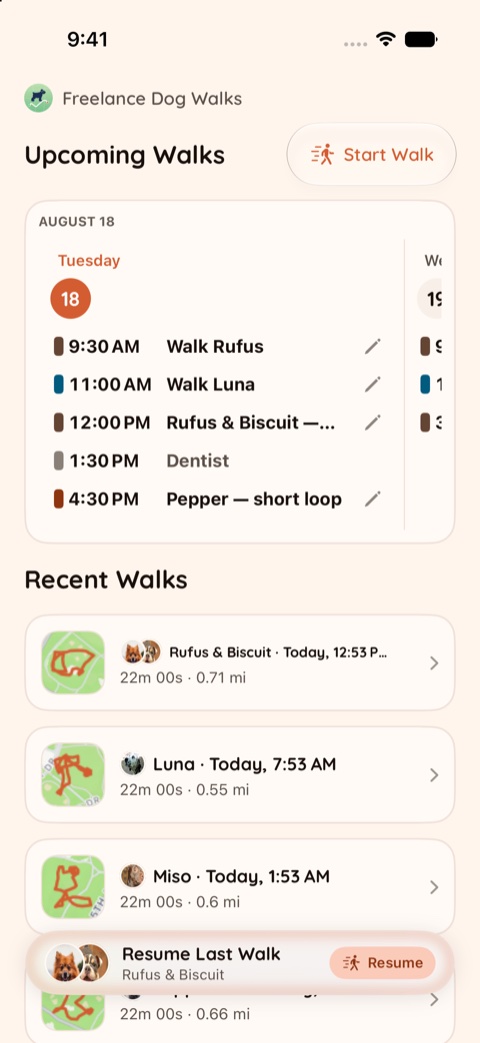
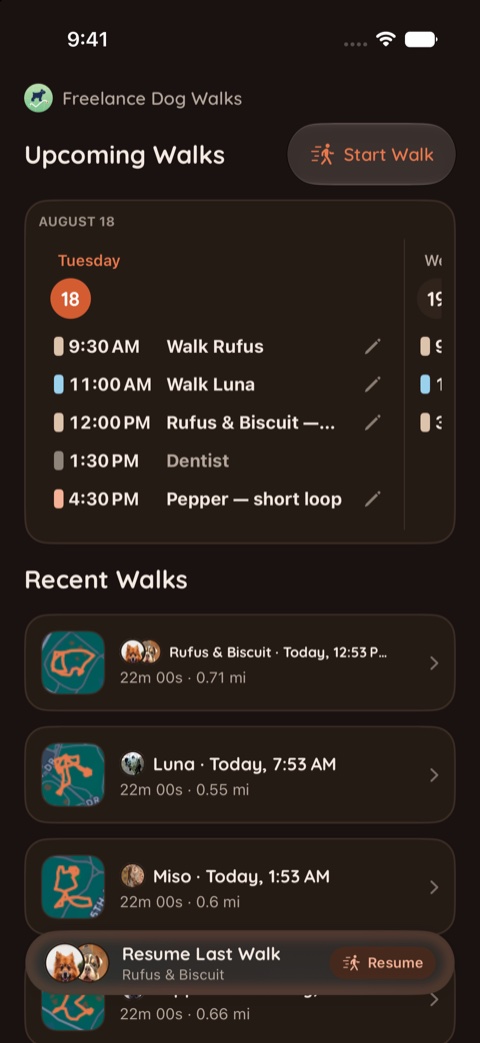
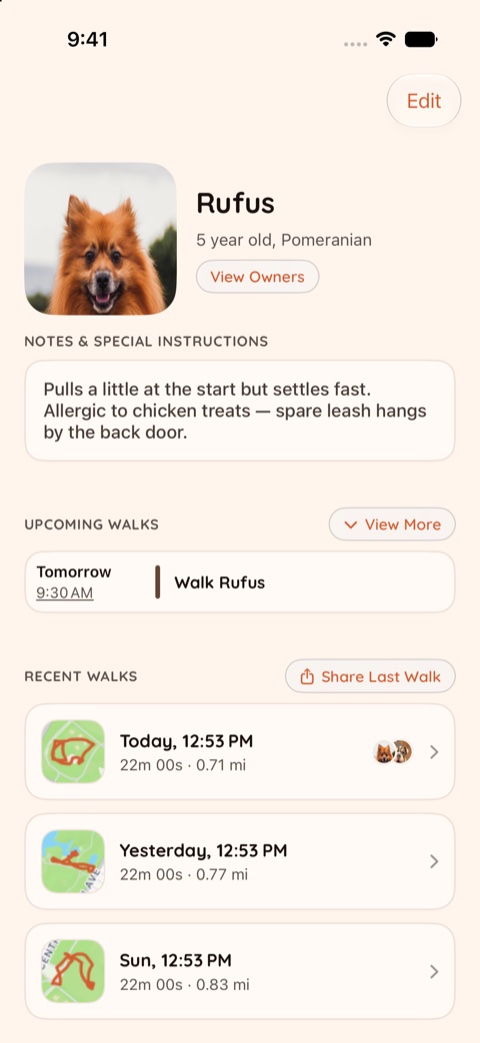
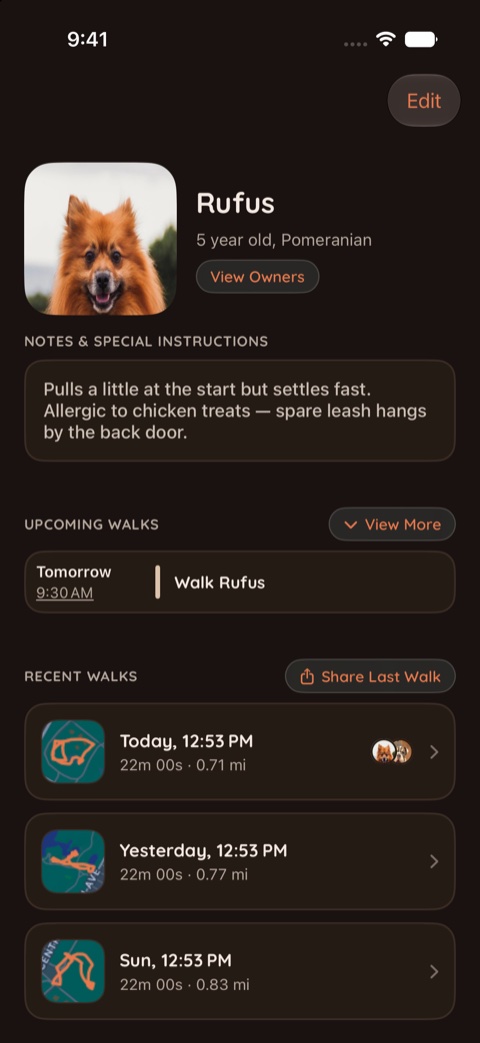
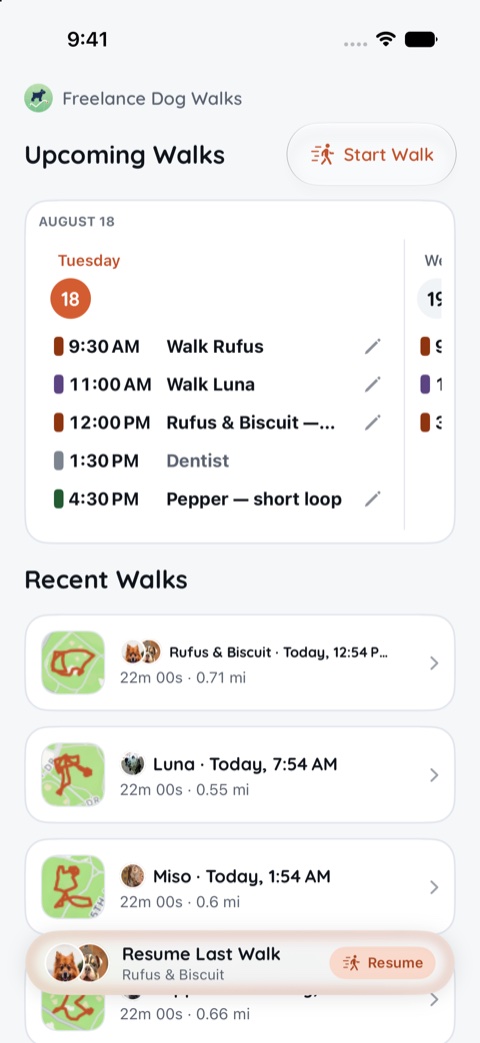
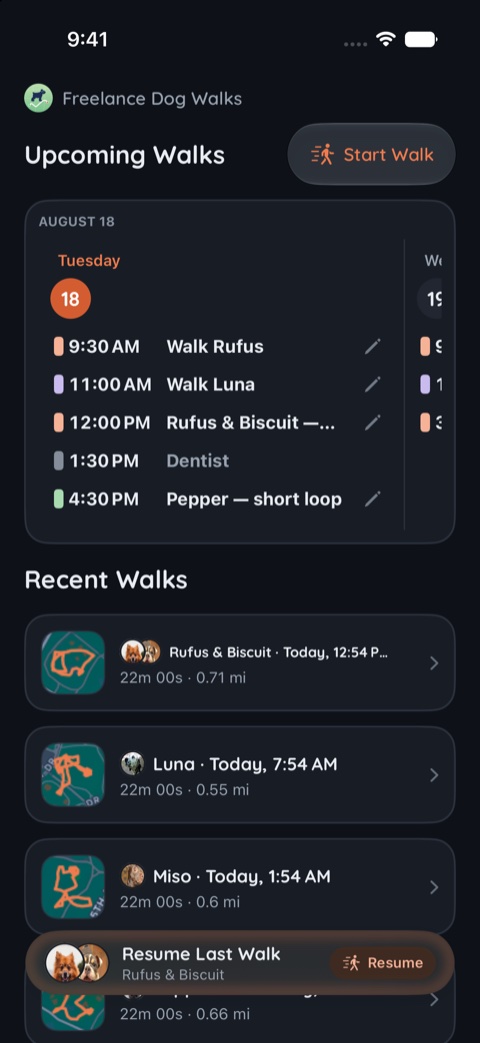
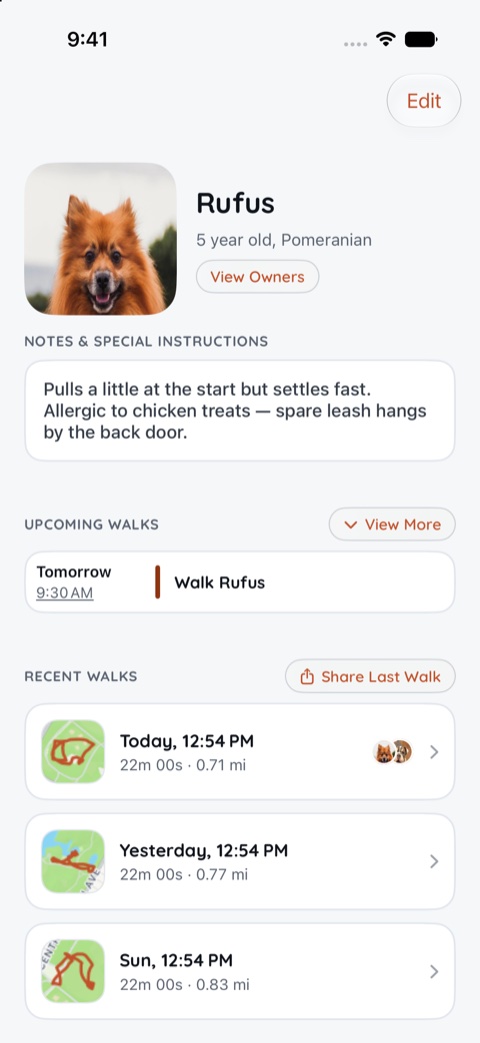
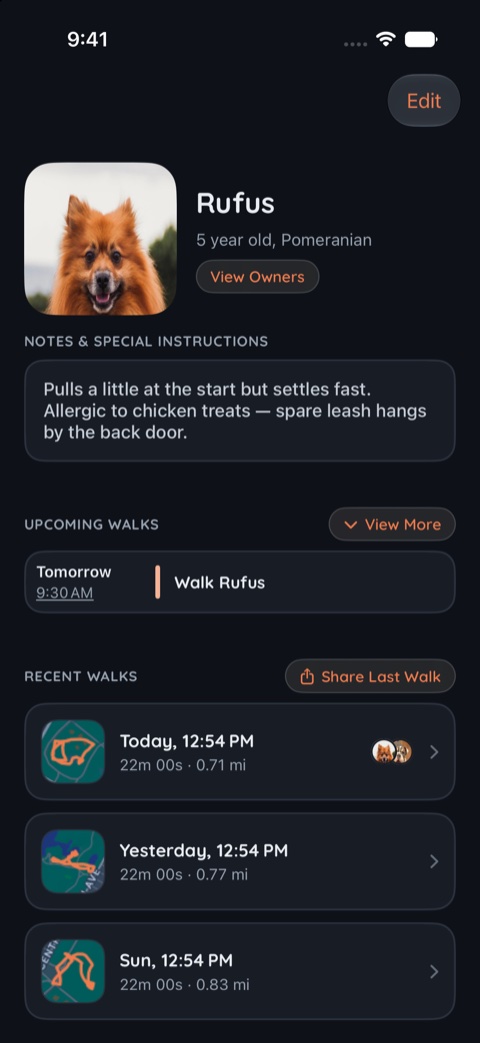
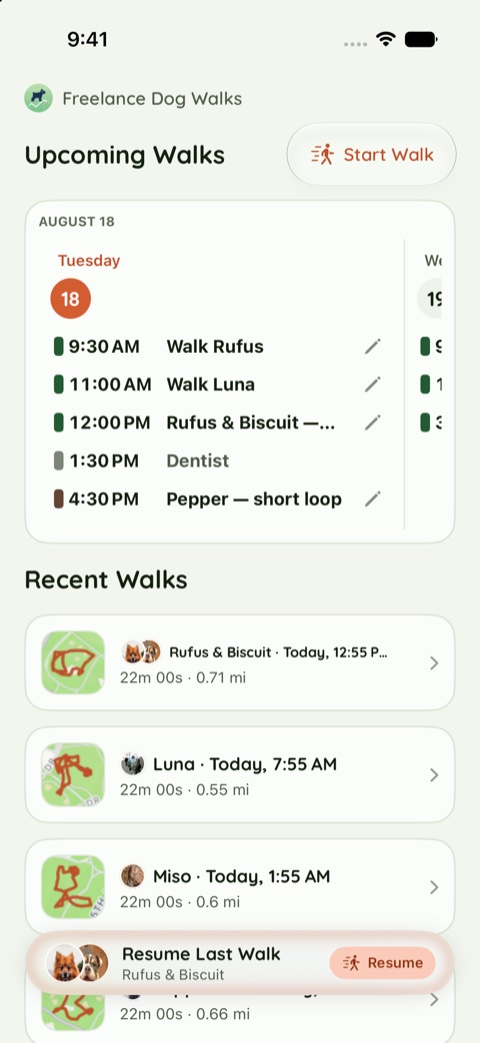
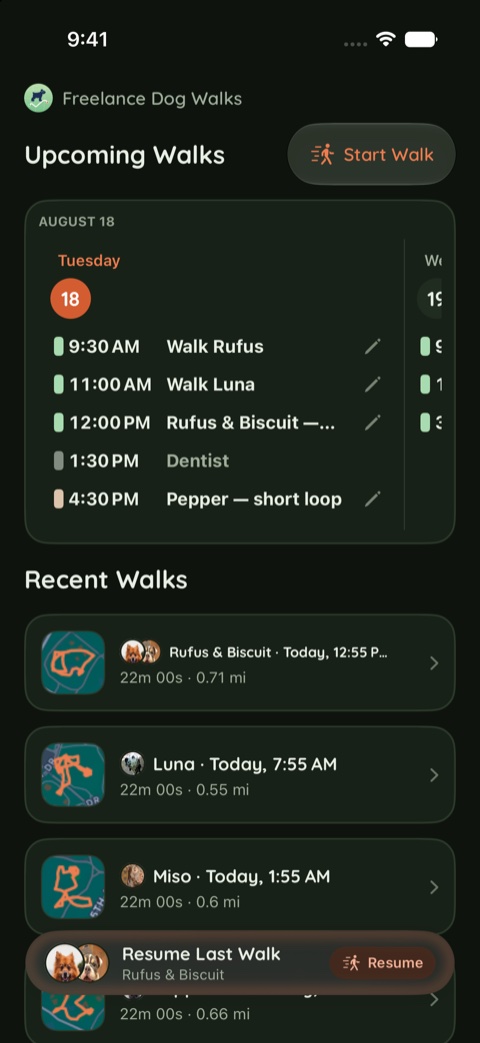
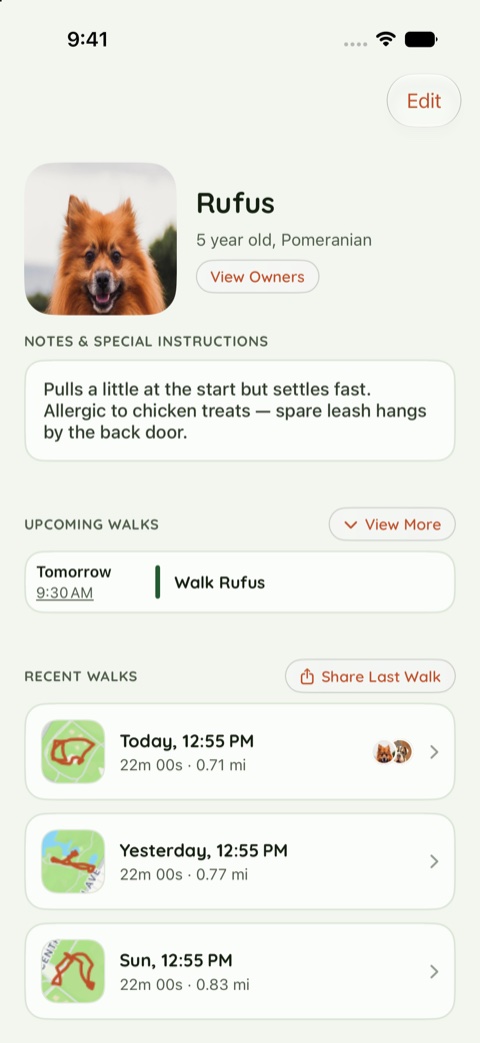
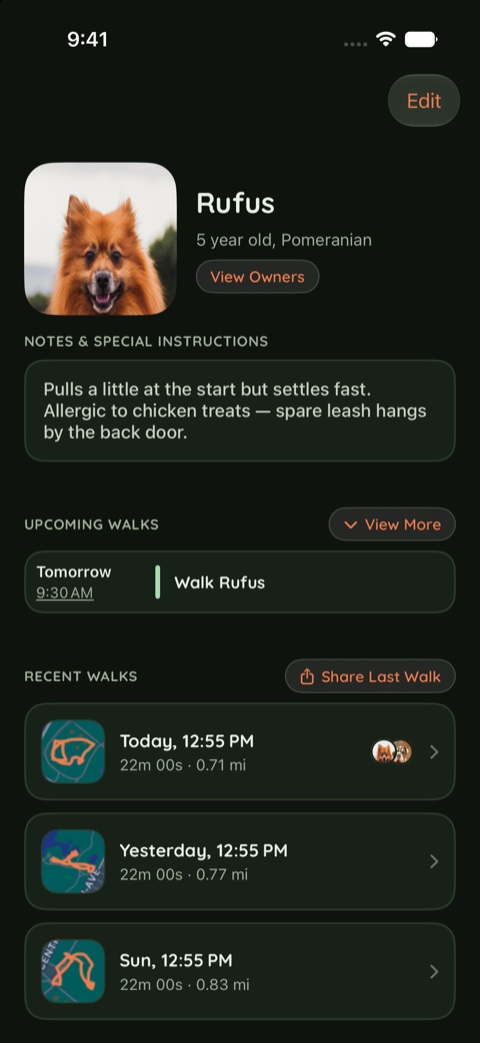
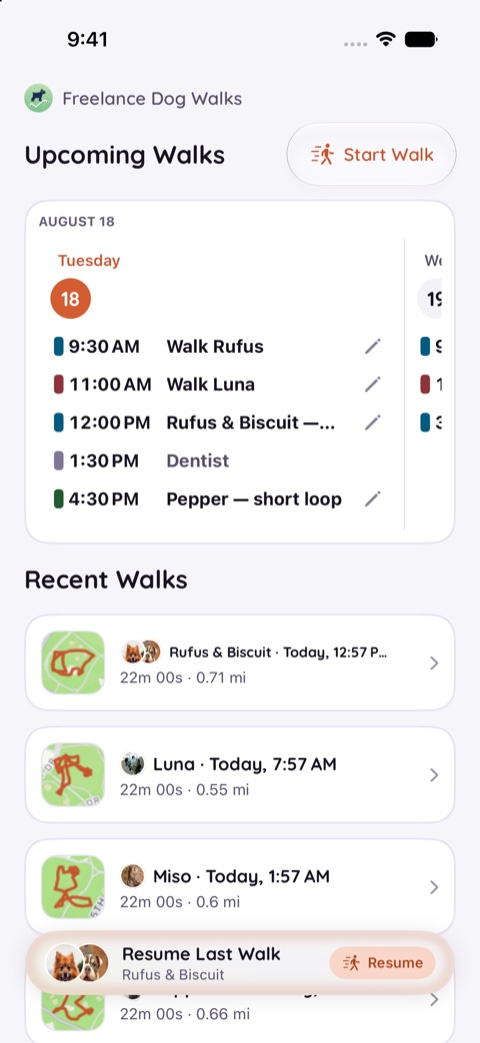
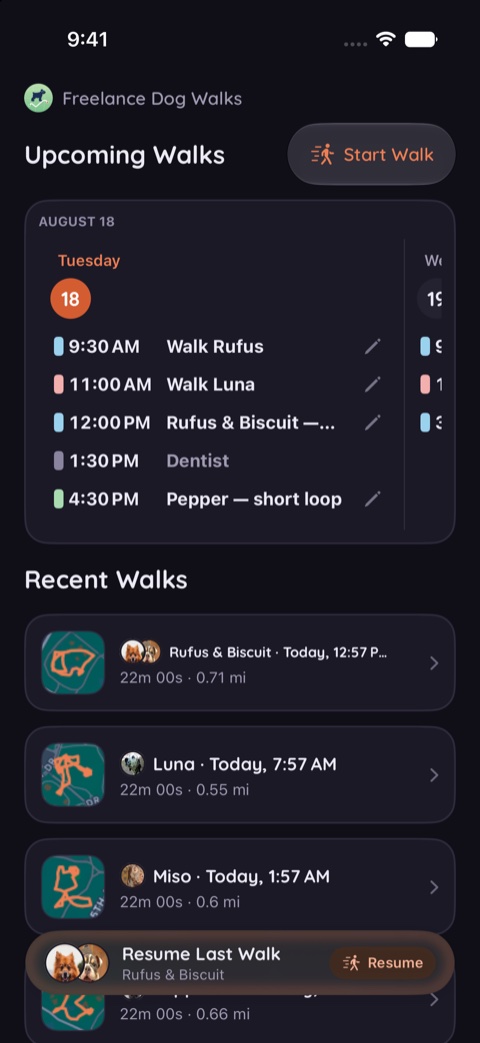
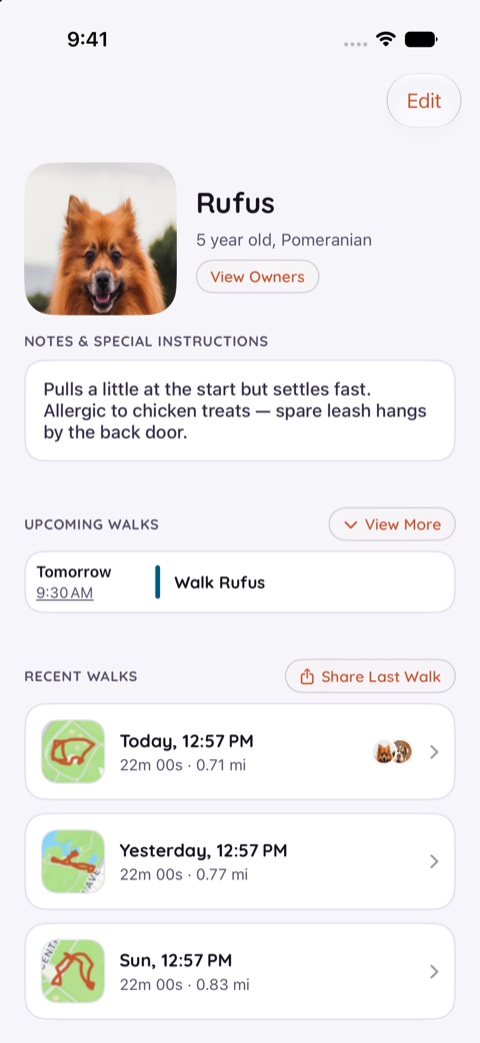
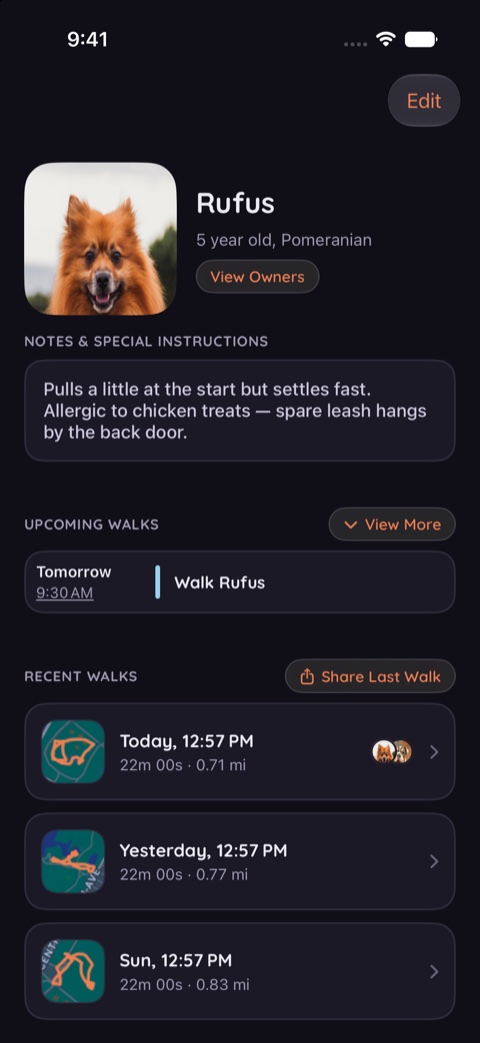
Four themes, and light or dark as its own separate choice — so the app can be warm at noon and easy on the eyes at six in the morning. Every pairing below is the real thing: the Walks tab and a dog's page, on iPhone, in all eight combinations.
Where the look is chosen
- In Settings — under App Settings, the Theme picker holds the four palettes (each named, with a dot showing its ground in both modes) and Appearance holds the light/dark choice. Tapping repaints the app on the spot — no relaunch, no confirmation.
- In onboarding — the Pick a look step is the same two controls, asked last because it's the only question that's purely taste. Tapping a swatch repaints onboarding itself, so you choose with your own eyes.
Your choice follows you: the widgets take the same palette, and the look syncs across your devices. Light and dark stay a separate choice on purpose — any palette works either way, so a walker who starts before sunrise can judge the dark versions actually dark.
The four looks, side by side
Each theme below shows the same two screens — the Walks tab, then Rufus's page — in light on the left and dark on the right.
Warm
The original. Warm paper by day, candlelit at night. The app's default until Dusk took over; still one tap away.
Light
Dark
Slate
Clean white and near-black. The easiest to read in bad light.
Light
Dark
Meadow
Soft green, with the terracotta doing the pointing.
Light
Dark
Dusk
Muted indigo, kinder on the eyes first thing and last thing. The default — what the app wears until you choose.
Light
Dark
The theme picker lives in Settings → App Settings, and first meets you at the end of onboarding. As ever, the FAQ's Making it yours section has the quick answers.